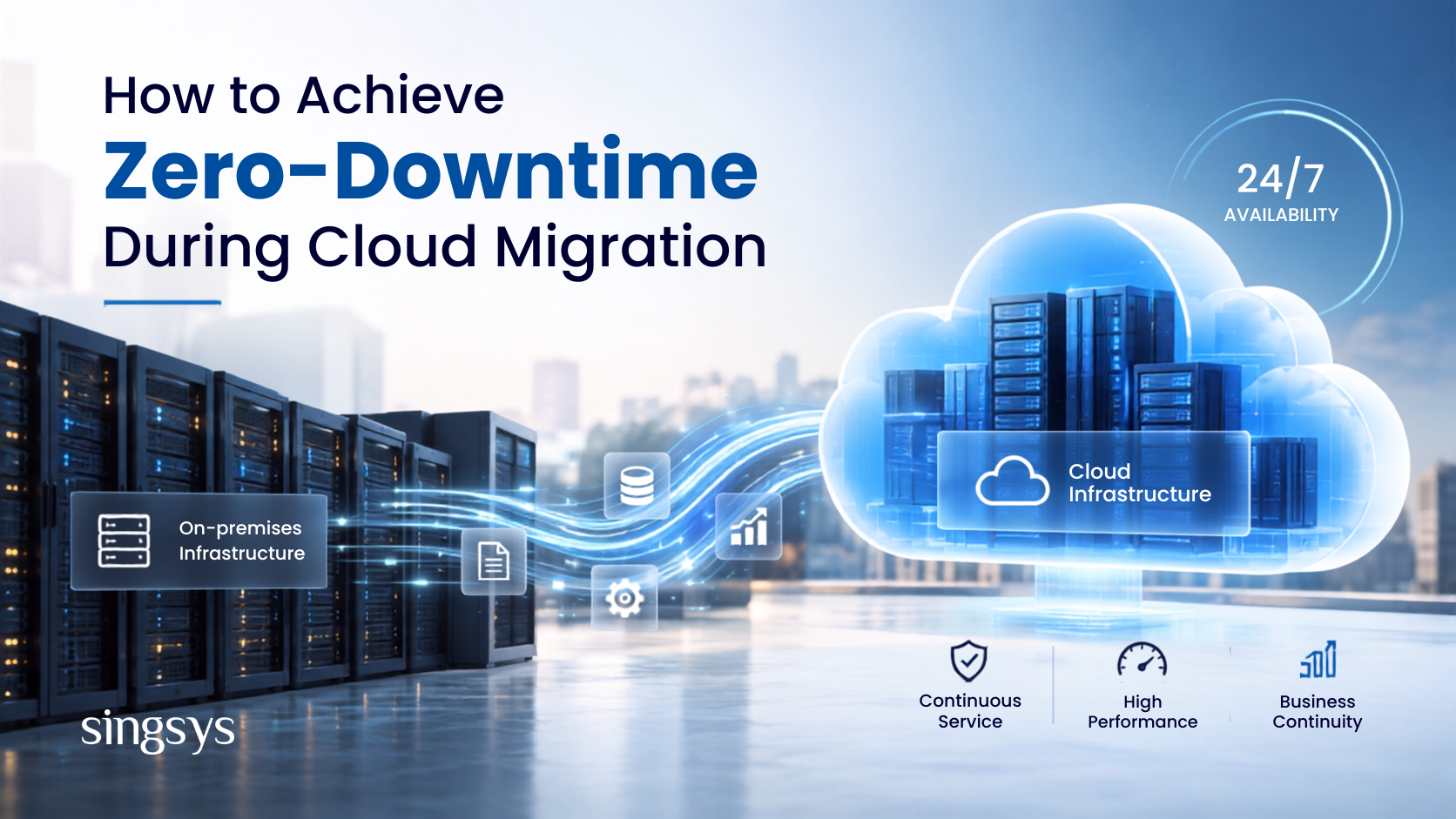
Cloud migration can help businesses improve scalability, performance, security, and infrastructure efficiency. However, moving applications, databases, and workloads from on-premises environments to the cloud comes with one major concern: downtime.
Even a short service interruption can affect customer experience, revenue, productivity, and business reputation. This is why organisations planning a migration need a strategy that keeps critical applications available throughout the transition.
With careful planning, automated deployment, data synchronisation, testing, and a controlled cutover strategy, businesses can significantly reduce migration-related downtime and achieve a near-zero-downtime cloud migration.
Traditional migration approaches often involve taking an application offline, moving its data and workloads, and bringing everything back online in the new environment.
While this approach may work for smaller systems, it can be risky for applications that need to operate continuously.
A zero-downtime cloud migration aims to keep applications and services available while workloads are transferred to the cloud. Instead of switching everything at once, organisations gradually move workloads and maintain synchronisation between the existing and new environments.
This approach can help businesses:
Minimise service interruptions
Protect customer experience
Reduce revenue loss
Maintain business continuity
Identify migration issues earlier
Reduce operational risks
Make the final cutover more predictable
1. Assess Your Existing Infrastructure
The first step toward zero-downtime cloud migration is understanding what you are actually migrating.
Before moving workloads, create an inventory of mobile applications, databases, APIs, integrations, servers, storage systems, dependencies, and network configurations.
Identify which workloads are business-critical and determine their availability requirements.
You should also analyse:
Application dependencies
Database relationships
Traffic patterns
Data volumes
Security requirements
Performance requirements
Recovery objectives
Existing backup systems
A detailed assessment helps identify potential migration bottlenecks before they become production problems.
2. Choose the Right Cloud Migration Strategy
There is no single migration approach that works for every application.
Depending on the workload, organisations can consider strategies such as rehosting, replatforming, refactoring, or rebuilding applications for the cloud.
For applications where downtime is unacceptable, migration should generally be performed incrementally rather than through a single large-scale cutover.
Breaking a complex migration into smaller workloads allows teams to test each stage, resolve issues, and reduce the impact of unexpected failures.
3. Build a Parallel Cloud Environment
One of the most effective ways to reduce downtime is to build the cloud environment before switching production traffic to it.
The existing infrastructure continues serving users while the new cloud environment is configured, tested, and validated.
The cloud environment should replicate important production configurations, including:
Application services
Databases
Security controls
Load balancing
Networking
Monitoring
Storage
APIs and integrations
Once the cloud environment is stable, traffic can gradually be redirected to the new infrastructure.
4. Synchronise Data in Real Time
Data migration is often one of the biggest challenges during cloud migration.
If data is copied only once, changes made in the source environment after the migration begins may not exist in the cloud environment.
Continuous or near-real-time data replication can solve this problem.
Database replication, change data capture, and managed migration services can help keep source and destination databases synchronised.
The objective is to minimise the amount of data that needs to be transferred during the final cutover.
The closer the two environments are to being synchronised, the shorter the final transition can be.
5. Use Incremental and Automated Migration
Large migrations become easier to control when workloads are moved in stages.
Instead of migrating an entire infrastructure at once, divide the project into manageable components.
For example:
Assessment → Pilot Migration → Application Migration → Data Synchronisation → Testing → Traffic Migration → Monitoring
Automation can make this process more consistent.
Infrastructure-as-code, automated deployment pipelines, configuration management, database replication, and automated testing can reduce manual errors and make migration activities repeatable.
Automation is particularly valuable when migrating multiple applications or environments.
6. Test the Cloud Environment Before Cutover
A cloud environment should never become the production environment simply because the migration has technically completed.
Perform extensive testing before switching users to the new infrastructure.
Testing should cover:
Functional performance
Application availability
Database consistency
API integrations
Security controls
Load handling
Failover behaviour
Backup and recovery
Monitoring and alerting
Load testing is especially important because cloud infrastructure may behave differently from the existing environment under heavy traffic.
A successful migration is not simply about moving data. The application must continue to perform reliably under real-world workloads.
7. Use a Blue-Green Deployment Strategy
Blue-green deployment is a useful approach for applications that require minimal interruption.
In this model, the existing production environment acts as the blue environment, while the newly migrated cloud environment becomes the green environment.
The green environment can be fully tested while the blue environment continues serving customers.
Once the cloud environment is ready, traffic can be redirected from blue to green.
If an unexpected problem occurs, traffic can be redirected back to the previous environment.
This makes the final cutover faster and provides an additional layer of operational safety.
8. Plan DNS and Traffic Switching Carefully
Even when applications and databases are ready, poorly planned traffic management can cause avoidable downtime.
Before migration, review DNS configuration, TTL values, load balancers, routing rules, SSL certificates, and application endpoints.
Traffic can be shifted gradually rather than moved entirely at once.
For example:
5% traffic → 25% → 50% → 100%
At each stage, monitor application health, latency, errors, database performance, and user behaviour.
If the new environment performs as expected, traffic can continue increasing.
9. Prepare a Rollback Strategy
Even the best migration plan can encounter unexpected problems.
A rollback strategy should therefore be prepared before the final cutover.
Define:
What conditions trigger rollback?
Who has authority to initiate it?
How will traffic be redirected?
How will data consistency be maintained?
How quickly can the previous environment be restored?
The rollback process should also be tested rather than simply documented.
A reliable rollback plan gives teams a safe exit if the new cloud environment does not perform as expected.
10. Monitor the Environment During Migration
Real-time monitoring is essential throughout the migration process.
Track infrastructure and application metrics such as:
CPU and memory usage
Application latency
Error rates
Database performance
Network traffic
Request volume
Availability
Security events
Centralised logging and automated alerts can help teams detect problems before they affect a large number of users.
Monitoring should continue after the migration because some issues may only appear when production traffic reaches the new environment.
Best Practices for Zero-Downtime Cloud Migration
Businesses planning a zero-downtime cloud migration should follow a structured approach:
Create a detailed migration roadmap.
Identify business-critical workloads.
Map application and database dependencies.
Maintain reliable backups.
Build and test the cloud environment before cutover.
Use continuous data replication where appropriate.
Automate deployment and infrastructure processes.
Perform functional and load testing.
Use gradual traffic switching.
Define clear rollback conditions.
Monitor both environments during the transition.
Keep stakeholders informed throughout the migration.
Most importantly, do not treat cloud migration as a single event. It should be managed as a controlled transition from one production environment to another.
Make Your Cloud Migration Seamless and Risk-Free
Achieving zero-downtime during cloud migration requires more than simply transferring applications and databases to a cloud platform. It requires careful assessment, continuous data synchronisation, parallel environments, automated deployment, extensive testing, controlled traffic switching, and a reliable rollback strategy.
A phased migration approach allows businesses to maintain application availability while gradually moving workloads to the cloud.
With the right cloud migration strategy, organisations can modernise their infrastructure while protecting business continuity, customer experience, and operational performance.
For businesses planning a complex migration, working with an experienced cloud services and software development partner can help simplify infrastructure planning, application modernisation, testing, deployment, and post-migration optimisation.
The food industry is evolving faster than ever. With rising digital adoption, on-demand culture, and shifting consumer behaviour, the cloud kitchen business model is becoming a dominant force in 2026. […]
In 2026, we generate more data than ever—from high-resolution 8K travel videos to AI-generated art and essential work documents. Keeping all this on a physical hard drive is like carrying […]
Finding the right free cloud storage can feel like a balancing act. You want enough space for your high-res photos and documents, but you also need to know your data […]