Artificial intelligence is no longer limited to futuristic products or experimental projects. Businesses across industries are now using AI to automate repetitive work, understand customer behaviour, improve decision-making and create more personalised experiences.
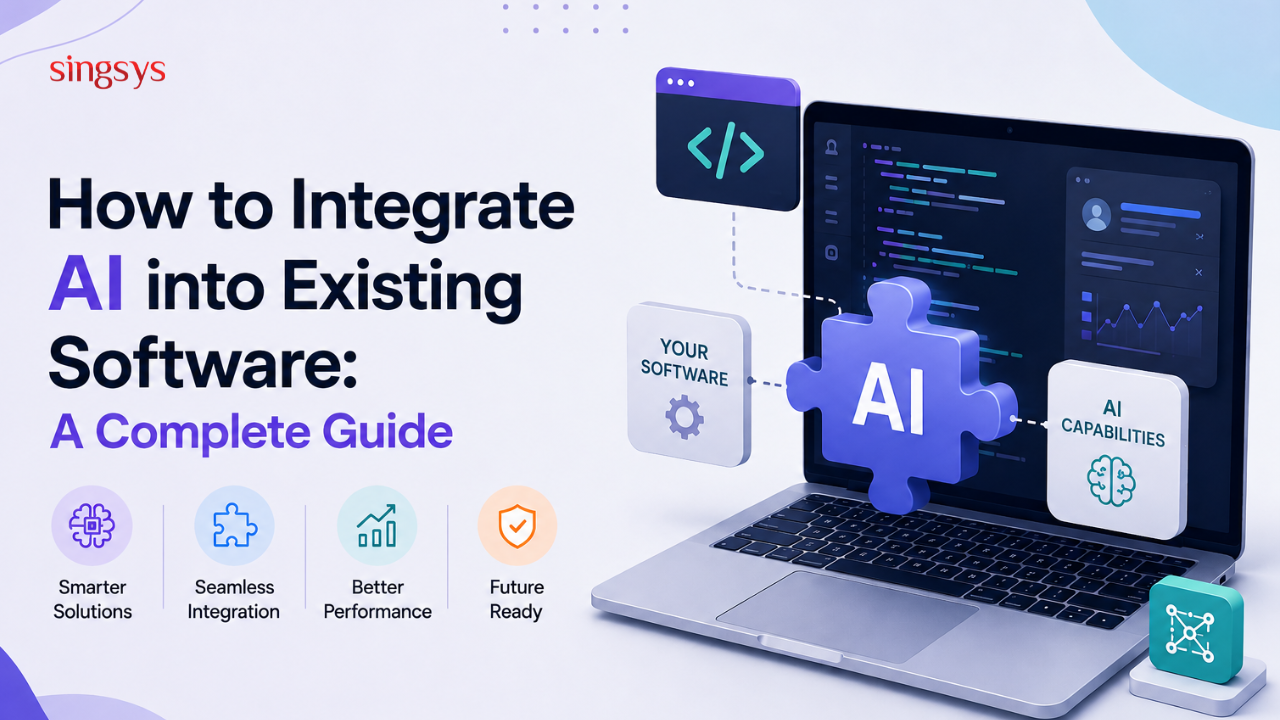
However, adopting AI does not always mean building an entirely new application. In many cases, businesses already have software, databases, APIs and workflows that work well. The smarter approach can be to integrate AI into existing software and gradually add intelligent capabilities where they can create the most value.
But AI integration requires more than simply connecting an AI API to an existing application. You need to consider data, security, infrastructure, user experience, costs and long-term maintenance.
This guide explains how businesses can approach AI integration step by step.
Existing software already contains valuable business processes and customer data. Replacing the entire system simply to introduce AI can be expensive, disruptive and unnecessary.
AI integration allows businesses to improve existing applications while keeping their core infrastructure intact.
For example, an eCommerce platform could add an AI recommendation engine without rebuilding its entire website. Similarly, a CRM system could use AI to summarise customer interactions or identify high-value leads.
Step 1: Identify a Real Business Problem
The first step is not choosing an AI model. It is identifying what problem you want AI to solve.
AI should have a clear purpose and measurable business value. Adding AI simply because it is trending can increase complexity without delivering meaningful results.
Start by asking:
Which business processes are repetitive?
Where are employees spending significant time?
What decisions require analysing large amounts of data?
Where are customers experiencing friction?
Which processes could benefit from automation or personalisation?
Can success be measured?
For example, instead of saying, “We want to add AI to our CRM,” define a specific objective such as, “We want AI to automatically summarise customer calls and save the summary in the CRM.”
A clearly defined use case makes the rest of the integration much easier.
Step 2: Assess Your Existing Software Architecture
Before introducing AI, evaluate your current software environment.
Understand how your application handles data, authentication, APIs, databases, user permissions and third-party integrations.
You should identify:
Programming languages and frameworks
Database technologies
Existing APIs
Cloud infrastructure
Authentication mechanisms
Data storage locations
Internal and external integrations
Application performance limitations
This assessment helps determine where AI should be introduced without disrupting existing functionality.
In many cases, AI can be added as a separate service that communicates with the existing application through APIs. This approach can make the system easier to maintain and scale.
Step 3: Prepare and Evaluate Your Data
AI is only as useful as the data supporting it.
If your AI feature needs access to customer records, documents, product information or historical transactions, make sure that data is accurate, relevant and properly structured.
Data preparation may involve:
Removing duplicate records
Correcting inaccurate information
Standardising data formats
Removing irrelevant data
Managing missing values
Applying appropriate access controls
Protecting sensitive information
You should also determine which data the AI system actually needs. Avoid giving an AI service unrestricted access to your entire database when the feature only requires a limited dataset.
Good data governance is essential for building reliable and secure AI-powered software.
Step 4: Choose the Right AI Approach
There is no single AI technology suitable for every application.
Depending on your use case, you may use an existing AI API, a machine learning model, an open-source model or a customised model.
For many businesses, using an existing AI service can be the fastest way to introduce AI capabilities. Custom model development may make sense when the application has highly specialised requirements, unique data or strict performance needs.
Consider factors such as:
Accuracy
Response speed
Integration complexity
Scalability
Data privacy
Infrastructure requirements
Cost
Model capabilities
For example, a business building an internal document assistant may not need to train a model from scratch. An existing language model combined with retrieval from the company’s approved knowledge base may be sufficient.
Step 5: Build an API-Based AI Integration
One of the most practical ways to integrate AI into existing software is through an API.
Your application sends relevant information to an AI service, receives the output and then uses that result within the existing workflow.
A simplified flow might look like this:
User → Existing Application → AI Service → AI Response → Application → User
For example, when a customer submits a support question, the existing application can send the question and relevant context to an AI service. The response can then be displayed to the customer or passed to a human support agent.
Using a separate AI service layer can also make future changes easier. If you later change AI providers or models, you may only need to modify the AI integration layer rather than rebuilding the entire application.
Step 6: Consider Security and Privacy
Security should be part of AI integration from the beginning, not an afterthought.
AI features may process customer information, internal documents, financial data or other sensitive business information. Sending such data to an external service without proper controls can create serious security and compliance risks.
Important considerations include:
Encrypting data in transit and at rest
Using secure API authentication
Applying role-based access controls
Limiting the data sent to AI services
Avoiding unnecessary exposure of personal information
Monitoring AI-related API activity
Establishing data retention policies
Reviewing third-party AI providers carefully
Businesses should also consider relevant privacy and regulatory requirements based on their industry and geographic markets.
Step 7: Design for Human Oversight
AI can automate many tasks, but that does not mean every AI-generated result should be accepted automatically.
For important business decisions, human review may still be necessary.
For example, AI can help summarise a legal document, analyse a customer complaint or identify suspicious activity. A qualified person can then review the result before taking action.
This human-in-the-loop approach can reduce the impact of inaccurate or unexpected AI outputs.
It is particularly important when AI is used in areas involving financial decisions, healthcare, legal processes, security or other high-impact activities.
Step 8: Test Before Going Live
An AI feature should be tested like any other important software component.
However, AI testing requires additional considerations because outputs may vary.
Test the system for:
Accuracy
Relevance
Response time
Unexpected outputs
Security vulnerabilities
Incorrect or misleading responses
High traffic
API failures
Poor-quality input
Edge cases
It is also useful to create a set of realistic test scenarios based on actual user behaviour.
Start with a controlled rollout rather than immediately making the feature available to everyone.
Step 9: Monitor Performance and Costs
AI integration is not a one-time development project. Once the feature goes live, you need to monitor how it performs.
Track both technical and business metrics.
Technical metrics can include:
API response time
Error rates
Token or usage consumption
Infrastructure usage
System availability
Business metrics might include:
User engagement
Task completion time
Conversion rates
Customer satisfaction
Support workload
Cost savings
Monitoring helps you identify whether the AI feature is actually delivering value.
It also prevents unexpected increases in AI usage costs as your user base grows.
Step 10: Improve the AI Feature Over Time
The first version of an AI-powered feature will rarely be perfect.
Collect feedback from users, analyse failures and identify areas for improvement. You may need to adjust prompts, improve the data retrieval process, refine workflows or change the underlying model.
AI integration should therefore be treated as an ongoing process rather than a one-time upgrade.
Common Mistakes to Avoid
Businesses can face unnecessary problems when AI is introduced without proper planning.
Some common mistakes include:
Choosing AI Before Defining the Problem
Technology should support a business objective, not the other way around.
Ignoring Data Quality
Poor-quality or incomplete data can lead to unreliable AI results.
Giving AI Too Much Access
AI services should only have access to the information required for their specific function.
Skipping Human Review
Automating high-impact decisions without appropriate oversight can create operational and reputational risks.
Focusing Only on the Initial Cost
AI integration also involves ongoing API usage, infrastructure, monitoring and maintenance costs.
Treating AI as a Standalone Feature
AI should fit naturally into the existing user experience and business workflow rather than feeling like an unnecessary add-on.
Final Thoughts
Integrating AI into existing software can help businesses modernise their applications without completely replacing the systems they already depend on. From intelligent search and automation to personalised recommendations and predictive analytics, AI can improve both internal operations and customer experiences.
The key is to start with a clearly defined problem, assess your existing architecture, prepare your data, choose the right AI approach and build security and monitoring into the solution from the beginning.
Most importantly, start small and scale gradually. A focused AI feature that solves a genuine business problem is often more valuable than a complex AI system built without a clear purpose.
Ready to Make Your Software Smarter?
If you are planning to add AI capabilities to an existing web, mobile or enterprise application, an experienced software development team can help you evaluate your current architecture, identify practical AI use cases and build a secure, scalable integration.
Get in touch with our team today to discuss your AI integration requirements and explore how intelligent technology can help your software deliver more value.
Frequently Asked Questions
1. Can AI be integrated into existing software without rebuilding the entire application?
Yes. In many cases, AI can be integrated into existing software through APIs or a separate AI service layer. This allows businesses to add intelligent features while keeping their existing application and core systems.
2. How much does it cost to integrate AI into existing software?
The cost depends on factors such as the complexity of the AI feature, data requirements, model or API usage, existing software architecture, security requirements and development effort. A simple AI API integration will generally require less investment than developing and deploying a customised AI model.
3. What types of software can be enhanced with AI?
Almost any software with suitable data and a clear use case can potentially benefit from AI. Common examples include CRM platforms, eCommerce applications, healthcare software, financial systems, customer support platforms, enterprise applications and mobile apps.
4. Is it better to build an AI model or use an existing AI API?
It depends on the business requirement. Existing AI APIs can be faster and more cost-effective for many common use cases. A customised model may be appropriate when a business needs specialised capabilities, greater control or performance based on proprietary data.
5. How can businesses keep AI-integrated software secure?
Businesses should use secure APIs, encryption, access controls, data minimisation, monitoring and appropriate data-retention policies. Sensitive information should only be shared with AI services when necessary, and organisations should carefully evaluate the privacy and security practices of third-party AI providers.
Tanu Vishwakarma, a seasoned social media marketer, possesses a passion for promoting businesses online. She specialises in crafting creative strategies to captivate potential customers. Her dedication to staying updated on industry trends ensures that her methods are always effective. Tanu thrives on helping businesses shine in the digital realm.
Artificial intelligence has changed how people create, consume, and share information. From writing blog posts and business reports to generating news summaries and answering everyday questions, AI-generated content is now […]
Artificial intelligence has changed the way software is built. From generating code and writing tests to debugging applications and analysing technical documentation, AI tools are becoming a regular part of […]
The way people interact with technology is changing. For years, typing, tapping, and clicking were the standard ways to use digital products. Today, voice is becoming a natural part of […]