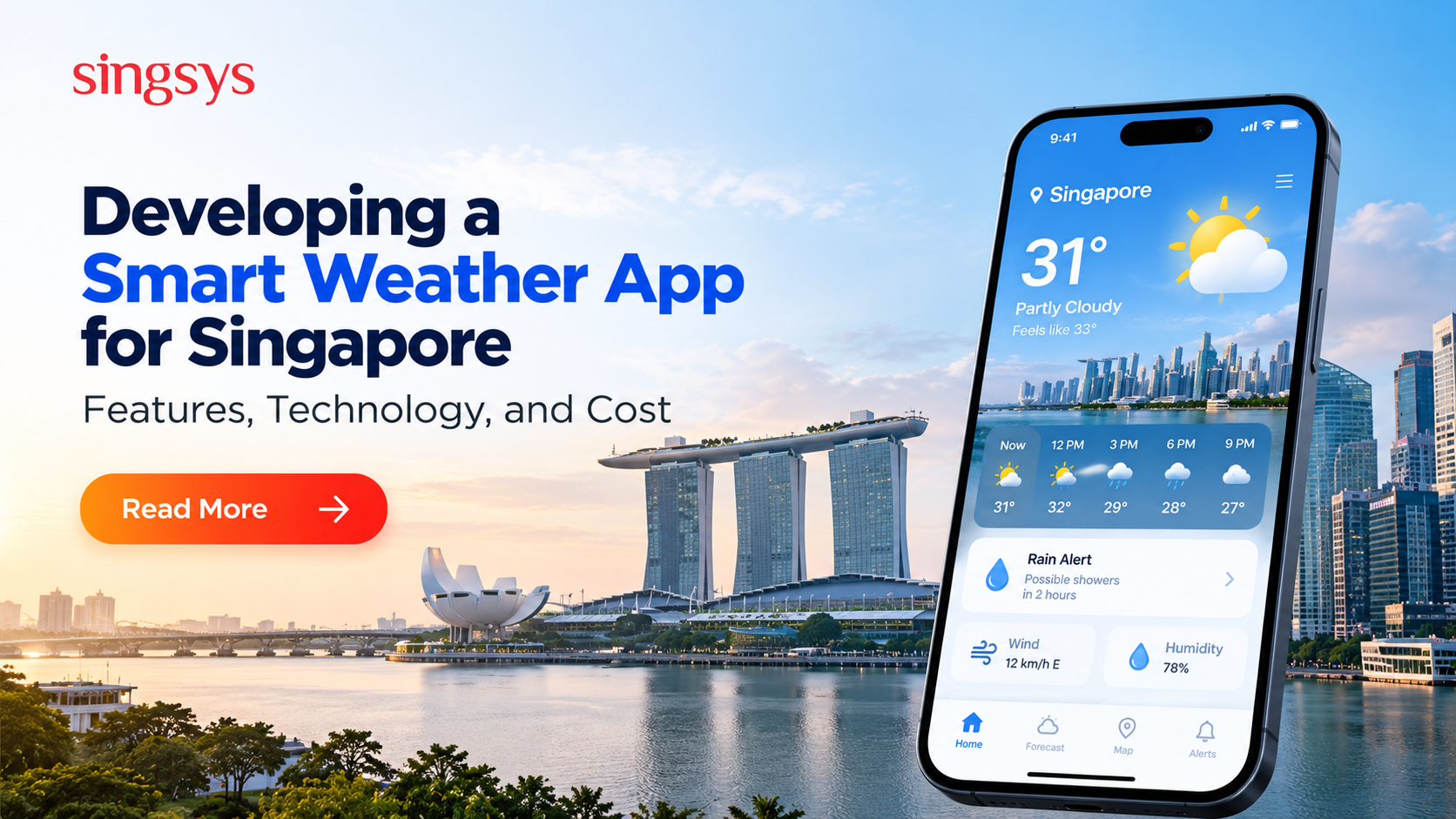
Singapore’s tropical climate can change quickly, with bright sunshine giving way to sudden showers, thunderstorms, or heavy rainfall. For residents, commuters, tourists, and businesses, reliable weather information can make everyday planning easier.
Traditional weather applications provide forecasts and temperature updates, but modern users increasingly expect more personalized and actionable information. A smart weather app can combine real-time weather data, location-based notifications, predictive analytics, and artificial intelligence (AI) to deliver a more useful experience.
For businesses exploring smart weather app development in Singapore, understanding local weather requirements, essential features, technology choices, and development costs is the first step toward building a competitive digital product.
Why Does Singapore Need Smart Weather Applications?
Singapore’s equatorial climate is characterized by high humidity, warm temperatures, and rainfall throughout the year. Afternoon and evening showers are common, while thunderstorms and periods of heavy rain can affect travel, outdoor activities, and business operations.
A smart weather app can address these challenges by providing localized forecasts instead of relying only on general city-level information.
For example, a commuter travelling from Jurong to Marina Bay could receive a rain alert for the destination area. An event organizer could monitor approaching thunderstorms, while a delivery business could use weather information to plan routes and schedules.
These use cases create opportunities for weather applications that combine accurate data with practical recommendations.
Essential Features of a Smart Weather App
The features you choose should reflect the needs of Singaporean users and the problems your application aims to solve.
1. Real-Time Weather Updates
Users should be able to view current temperature, humidity, wind speed, rainfall, and other relevant conditions. Data should refresh at appropriate intervals based on the provider’s update frequency and the application’s requirements.
A clear interface helps users understand current conditions without navigating through multiple screens.
2. Hyperlocal Weather Forecasts
Singapore may be geographically compact, but weather conditions can vary across different areas. Location-based forecasting can provide more relevant information for neighborhoods, business districts, residential areas, and popular tourist destinations.
GPS-based location detection, map interfaces, and searchable locations can make forecasts more convenient and personalized.
3. Rain and Thunderstorm Alerts
Timely alerts are particularly valuable when users need to plan outdoor activities or travel.
A smart weather app can send push notifications about approaching rain, thunderstorms, or other significant weather conditions when supported by reliable data sources.
Users should also be able to customize notification preferences to avoid unnecessary interruptions.
4. AI-Powered Weather Insights
Artificial intelligence can help transform weather data into understandable, actionable information.
For example, an application might summarize forecast conditions in simple language, recommend suitable times for outdoor activities, or identify weather patterns relevant to a user’s schedule.
However, AI-generated recommendations should rely on verified weather data and clearly communicate uncertainty. AI should complement meteorological forecasts rather than replace authoritative warnings.
5. Interactive Weather Maps
Map-based visualizations can help users understand rainfall movement, storm activity, and forecast conditions across Singapore.
Depending on the available data, an application could offer radar-style visualizations, hourly precipitation forecasts, wind maps, and location-based overlays.
These features can make complex weather information easier to interpret.
6. Personalized Notifications and Widgets
Home-screen widgets, saved locations, hourly forecasts, and customizable alerts improve convenience. Users might save their home, office, school, or frequently visited places to check weather conditions quickly.
Personalization should be balanced with privacy, battery usage, and notification frequency.
Choosing the Right Technology Stack
A successful weather application requires reliable data sources, efficient processing, and a user-friendly interface.
Mobile App Development Framework
Businesses can choose native development or cross-platform frameworks depending on their budget, performance requirements, and target audience.
Flutter: Suitable for building Android and iOS applications from a shared codebase.
React Native: Useful for cross-platform applications using JavaScript and React.
Native development: Swift for iOS and Kotlin for Android can provide platform-specific capabilities when needed.
The right choice depends on the product’s complexity, team expertise, and long-term maintenance strategy.
Weather API Integration
Weather APIs provide access to forecasts, current conditions, alerts, and other meteorological data.
The application should use a provider that supports the required geographic coverage, update frequency, historical data, usage limits, and commercial licensing.
For Singapore, developers should also evaluate relevant information from the Meteorological Service Singapore (MSS) and its parent agency, the National Environment Agency (NEA), particularly for official forecasts and weather warnings. Availability, access conditions, and permitted uses should be checked before integrating any data source.
Backend and Cloud Infrastructure
A cloud-based backend can manage user profiles, saved locations, notification preferences, API requests, and application analytics.
Services hosted on platforms such as AWS can help support scalability, monitoring, secure data storage, and automated deployment. Caching and request optimization can also reduce unnecessary API calls and control operating costs.
AI and Predictive Analytics
Machine learning can support personalization, forecast summarization, anomaly detection, and analysis of historical weather patterns.
However, generating reliable meteorological predictions requires suitable datasets, validated models, and domain expertise. For most initial products, integrating established forecast services is more practical than building a weather prediction model from scratch.
How to Develop a Smart Weather App for Singapore
A structured development process helps control costs and reduce technical risks.
Step 1: Research the market. Identify target users, competitors, unmet needs, and potential monetization opportunities.
Step 2: Define the MVP. Start with essential features such as current weather, hourly forecasts, saved locations, and rain alerts.
Step 3: Select data providers. Evaluate weather API accuracy, Singapore coverage, licensing, pricing, and reliability.
Step 4: Design the user experience. Create simple navigation, readable weather indicators, accessible layouts, and clear alert settings.
Step 5: Build the application. Develop the mobile interface, backend services, API integrations, and notification system.
Step 6: Test accuracy and performance. Validate data handling, location permissions, notification timing, battery consumption, and behavior during network interruptions.
Step 7: Launch and improve. Monitor crashes, API usage, engagement, and user feedback before introducing advanced capabilities such as AI-based insights.
Businesses planning a more advanced application can work with a mobile app development company in Singapore to evaluate the architecture, choose appropriate frameworks, and build a solution tailored to local requirements.
How Much Does Smart Weather App Development Cost?
The cost of building a weather application depends on its feature set, design, integrations, platforms, and security requirements.
The following are indicative development estimates, not fixed market rates.
A basic app may include current conditions, forecasts, and a weather API. A more advanced product could require interactive maps, custom notifications, multiple data providers, analytics, and AI-driven personalization.
Additional expenses may include API subscriptions, cloud hosting, maintenance, app store fees, third-party integrations, and ongoing testing. Building a proprietary forecasting engine can increase costs considerably.
A practical strategy is to launch an MVP, evaluate user demand, and invest in advanced capabilities as the product grows.
Monetization Opportunities for Weather Apps
Weather applications can generate revenue through several models:
Freemium subscriptions: Offer essential forecasts for free and charge for advanced features.
Advertising: Display relevant advertisements without compromising the user experience.
Premium alerts: Provide specialized notifications or enhanced planning tools.
Business subscriptions: Offer weather insights to logistics companies, event organizers, construction businesses, and outdoor service providers.
API services: Make processed weather information available to other applications where licensing permits.
The best monetization approach depends on the audience, value proposition, and cost of maintaining reliable weather data.
Build a Smarter Weather Experience for Singapore
Developing a smart weather app for Singapore requires more than displaying temperature and rainfall. A competitive product combines localized forecasts, reliable data sources, thoughtful notifications, intuitive design, and carefully selected intelligent features.
Starting with a focused MVP allows businesses to validate demand before investing in advanced analytics, interactive maps, and AI-powered recommendations.
With the right technology stack and a clear product strategy, businesses can create weather applications that help users plan their days, make informed decisions, and respond more confidently to changing weather conditions.
Mobile applications have become an essential investment for businesses in Singapore looking to improve customer engagement, streamline operations, and expand their digital presence. From startups launching their first product to […]
India’s grocery shopping landscape is rapidly becoming more digital, creating opportunities for startups to build convenient and scalable grocery delivery platforms. Consumers increasingly expect to discover products, compare prices, place […]
The mobile app market continues to create new opportunities for businesses, entrepreneurs, and startups. As users increasingly rely on smartphones for shopping, financial management, entertainment, education, healthcare, productivity, and everyday […]